Overview
After connecting your ATS to Jemmo, your data is synchronized automatically. This ensures Jemmo always has the latest information for AI matching and candidate management.
What Gets Synced
Jobs:
- Job titles and descriptions
- Requirements and qualifications
- Locations and compensation
- Job status (open/closed)
Talents (Candidates):
- Candidate profiles
- Contact information
- Resume/CV files
- Application history
- Current stage in hiring process
Automatic Synchronization
Synchronization happens in the background every 6 hours without any manual intervention.
Sync Schedule
- Jobs & Talents: Automatically synced every 6 hours
- Real-time: Updates from your ATS are processed as they happen (for supported providers)
Refreshing Data Manually
If you've just made a change in your ATS and want to see it immediately in Jemmo, you can trigger a manual refresh.
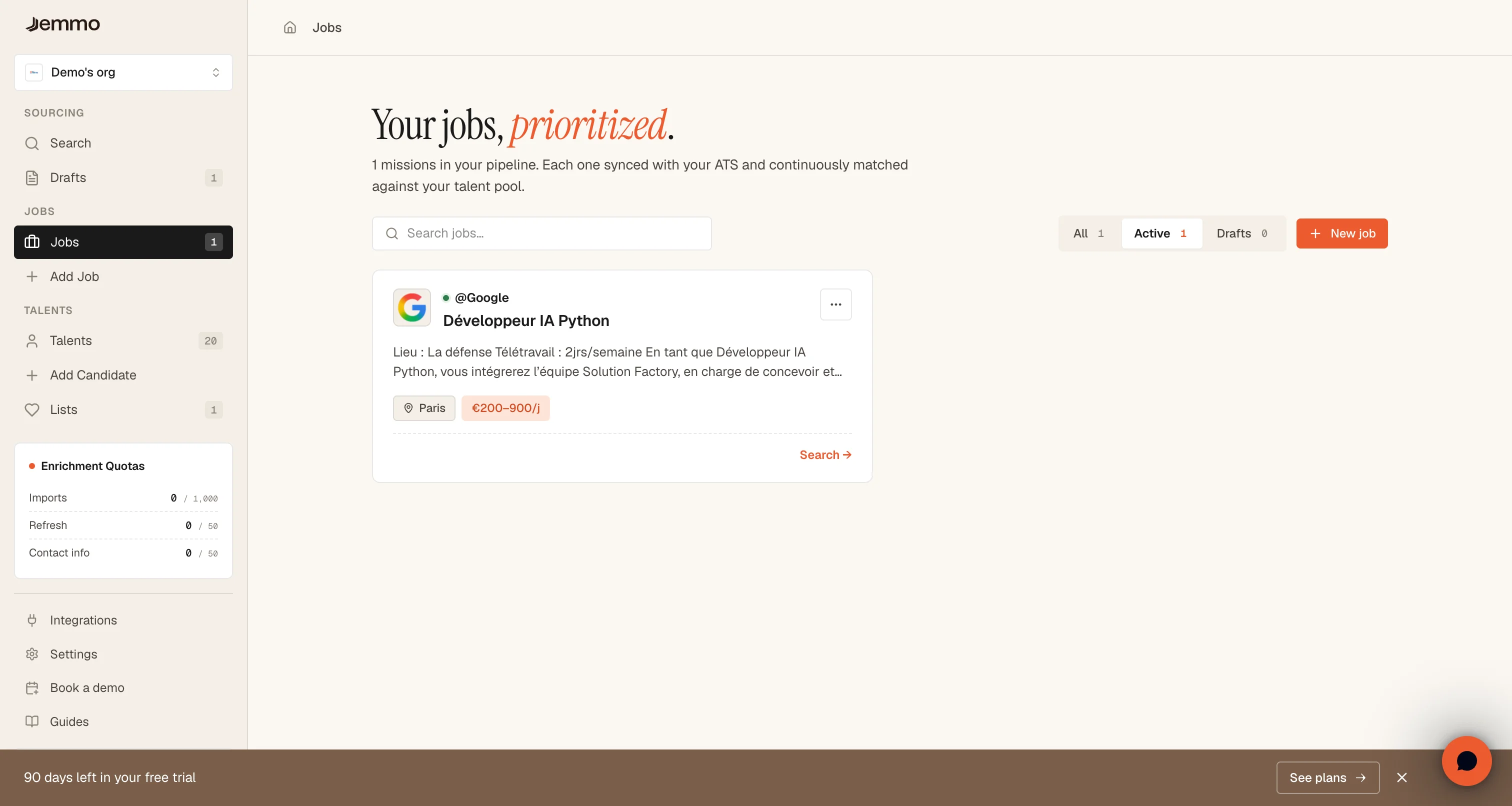
Refreshing Jobs
- Navigate to Jobs page
- Once an ATS is connected, a sync icon appears in the header — click it to refresh jobs
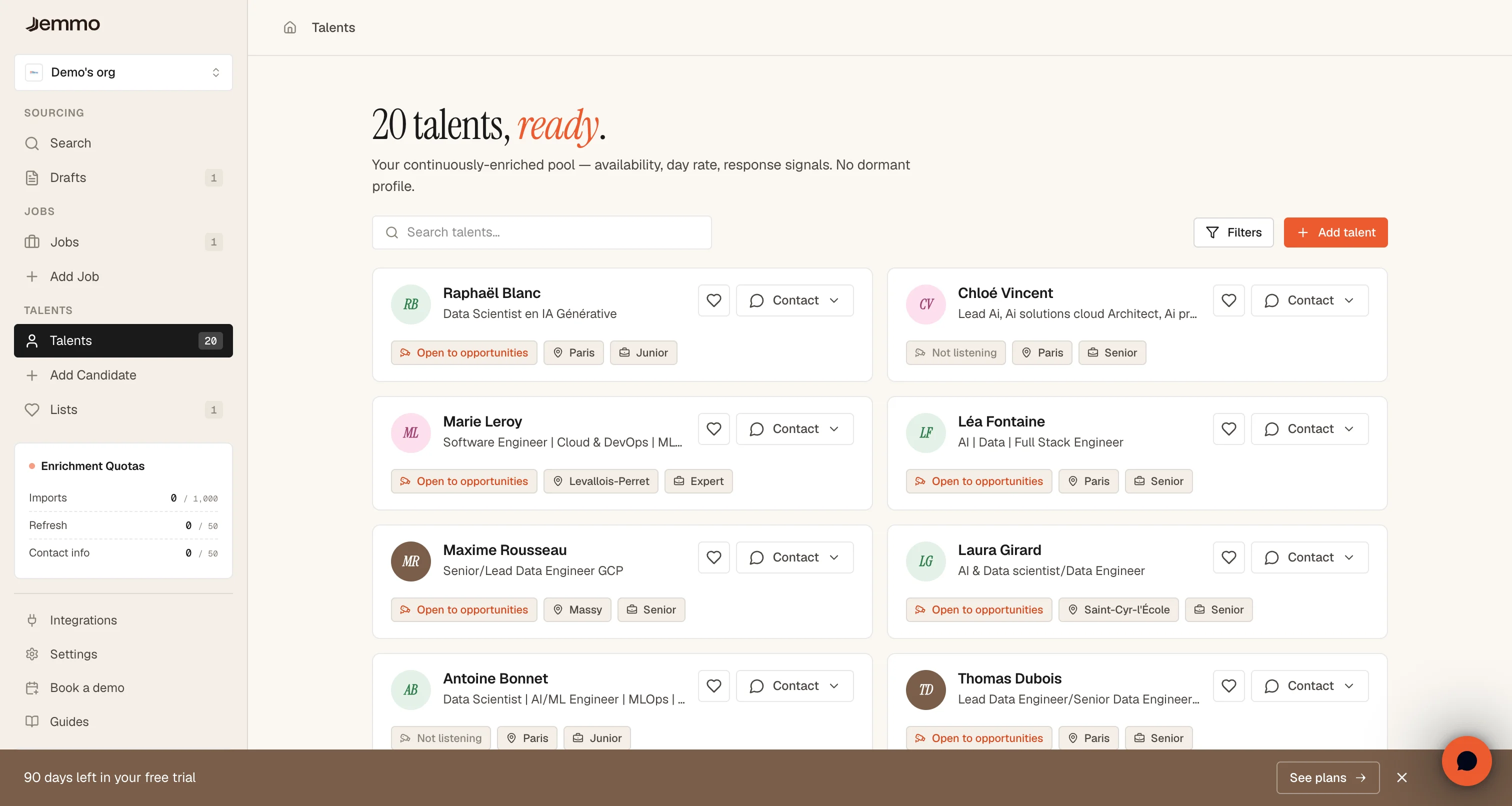
Refreshing Talents
- Navigate to Talents page
- Once an ATS is connected, a sync icon appears in the header — click it to refresh talents
Understanding Sync Process
How Sync Works
Sync Pipeline:
ATS Provider
     │
     ├─> API Request (Jobs)
     │   └─> Fetch updated job listings
     │
     ├─> API Request (Talents)
     │   └─> Fetch candidate profiles
     │
     ├─> Data Processing
     │   ├─> Map ATS fields to Jemmo schema
     │   ├─> Validate data integrity
     │   └─> Apply organization rules
     │
     ├─> Database Update
     │   ├─> Upsert jobs to database
     │   ├─> Upsert talents to database
     │   └─> Update sync timestamps
     │
     └─> Complete
         ├─> Send success notification
         └─> Update UI with latest data
Initial Sync vs. Incremental Sync
Initial Sync (First Connection):
- Processes all historical jobs and talents
- May take up to 24 hours for large datasets
- Full sync of all records
- Creates baseline for future incremental syncs
Incremental Sync (Ongoing):
- Only processes changed records since last sync
- Typically completes within minutes
- Efficient use of API resources
- Preserves sync performance
Sync Duration Examples:
| Record Count | Initial Sync | Incremental Sync |
|---|---|---|
| 0-100 | 1-5 minutes | 10-30 seconds |
| 100-500 | 5-15 minutes | 30-60 seconds |
| 500-1000 | 15-30 minutes | 1-2 minutes |
| 1000-5000 | 30-60 minutes | 2-5 minutes |
| 5000+ | 1-24 hours | 5-15 minutes |
Data Privacy and Security
Sensitive Data Handling:
- API Keys: Encrypted at rest in database
- Personal Info: Only accessible to authorized users
- Resumes: Stored in secure Supabase Storage
- Contact Details: Hidden from unauthorized viewers
Data Masking:
All sensitive data in screenshots has been anonymized:
- Email addresses: Replaced with
user@example.com - Phone numbers: Replaced with
+33 6 XX XX XX XX - Names: Replaced with generic names
- Company info: Replaced with generic company names
- API keys: Completely obscured or omitted
Troubleshooting
Sync Not Starting
Problem: Clicking sync button does nothing
Possible Causes:
- No ATS Connected:
- Verify ATS is connected in Settings
- Connection must be active before sync works
Jobs Not Appearing
Problem: Jobs don't appear in Jemmo
Solution:
- Check ATS Source:
- Verify jobs exist in your ATS
- Jobs must be in "published" or "open" status
- Archived jobs don't sync to Jemmo
- Manual Refresh:
- When was last sync?
- If more than 6 hours, trigger manual refresh
Talents Not Appearing
Problem: Talents don't appear in Jemmo
Solution:
- Check ATS Data:
- Ensure candidates exist in your ATS
- Candidates must have active applications
- Archived candidates may not sync
- Manual Refresh:
- When was last sync?
- If more than 6 hours, trigger manual refresh
Best Practices
Sync Schedule
Optimal Timing:
- Initial Sync: Run during off-peak hours (evening/weekend)
- Regular Syncs: Let automatic syncs handle updates
- Before Interviews: Manually sync to ensure latest candidate data
- After Job Postings: Sync immediately to capture new roles
Data Management
Before Sync:
- Ensure ATS data is accurate
- Remove duplicate records in ATS
- Standardize job titles and candidate info
- Verify ATS API access is working
After Sync:
- Verify records imported correctly
- Check for missing data
- Validate job/talent relationships
- Report any inconsistencies
Monitoring
Regular Checks:
- Weekly:
- Check last sync timestamps
- Verify sync status is green
- Review sync logs for warnings
- Monthly:
- Audit synced data quality
- Compare ATS vs Jemmo record counts
- Update API keys if near expiration
Security
API Key Management:
- Rotate API keys every 90 days
- Revoke old keys immediately after rotation
- Never share keys in documentation or code
Data Privacy:
- Follow GDPR and data protection regulations
Troubleshooting Workflow
When Issues Occur:
- Check Status:
- View sync timestamps in Settings
- Look for error messages
- Review Logs:
- Check Settings > Logs for sync errors
- Copy error messages for support
- Verify ATS:
- Test ATS API access
- Check ATS status page for outages
- Confirm API key permissions
- Contact Support:
- Use the Help chat in the floating bubble in the bottom right corner
- Include error messages and screenshots
- Describe steps taken before error
Additional Resources
Related Guides
- ATS Connection Guide - How to connect your ATS provider
- Integrations - Overview of available integrations
ATS Documentation
Teamtailor:
- API Documentation: https://teamtailor.com/api
- Rate Limits: https://teamtailor.com/docs/rate-limits
Flatchr:
- API Documentation: https://developers.flatchr.io
- Support: support@flatchr.com
Jarvi:
- API Documentation: https://jarvi.fr/api
- Support: support@jarvi.fr
Quick Reference
Sync Commands
| Action | Location | Method |
|---|---|---|
| Sync Jobs | Jobs page header | Click refresh icon |
| Sync Talents | Talents page header | Click refresh icon |
| View Status | Settings > Organization | Check ATS Integration section |
| Manual Trigger | Jobs/Talents page | Hover sync button for timestamp |
Sync Status Indicators
| Icon | Status | Action |
|---|---|---|
| 🟢 Green | Synced within 24h | No action needed |
| 🟡 Yellow | Synced 24-48h ago | Consider manual sync |
| 🔴 Red | Sync failed | Check error, retry |
| ⏳ Loading | Sync in progress | Wait for completion |
Key Terms
| Term | Description |
|---|---|
| ATS | Applicant Tracking System - Your recruitment software |
| Sync | Synchronization - Data transfer between systems |
| Upsert | Update or insert - Smart database update |
| Incremental | Partial sync - Only changed records |
| Rate Limit | API limits - Maximum requests per period |
Need help with sync issues? Use the Help Chat in the floating bubble in the bottom right corner.
Integration not working? Contact support at: support@jemmo.io
Looking for other guides? Visit the Guides section.