This guide explains how our AI matching algorithm works and how to get the best results when searching for talents.
What you'll learn
- Understand AI talent matching
- Interpret match scores and justifications
- Optimize job descriptions for better matching
- Use semantic search effectively
- Leverage similar profile matching
How AI Matching Works
Semantic Analysis
Our AI understands much more than simple keywords:
- Context: Understanding of the overall job context and requirements
- Transferable skills: Identifying applicable skills even with different terminologies
- Experience level: Assessing seniority and career relevance
- Specific terminology: Recognizing technologies, frameworks, and tools by domain
Scoring System
Each candidate receives a match score that combines:
- Overall score (0-100%): Synthesis of overall relevance
- Pros and cons analysis: Strengths and areas of attention specific to the role
- Key criteria match: Alignment with essential requirements
The AI uses only your professional experience data (not personal information like name, age, gender, origin) to evaluate profile relevance.
Justification Generation
For each match, our AI generates transparent explanations:
- Why this candidate fits the role
- Specific strengths for this position
- Potential concerns to consider
- Confidence level of the recommendation
Using AI Matching
1. Search from the Matching Page
The Matching page is your starting point for talent searches.
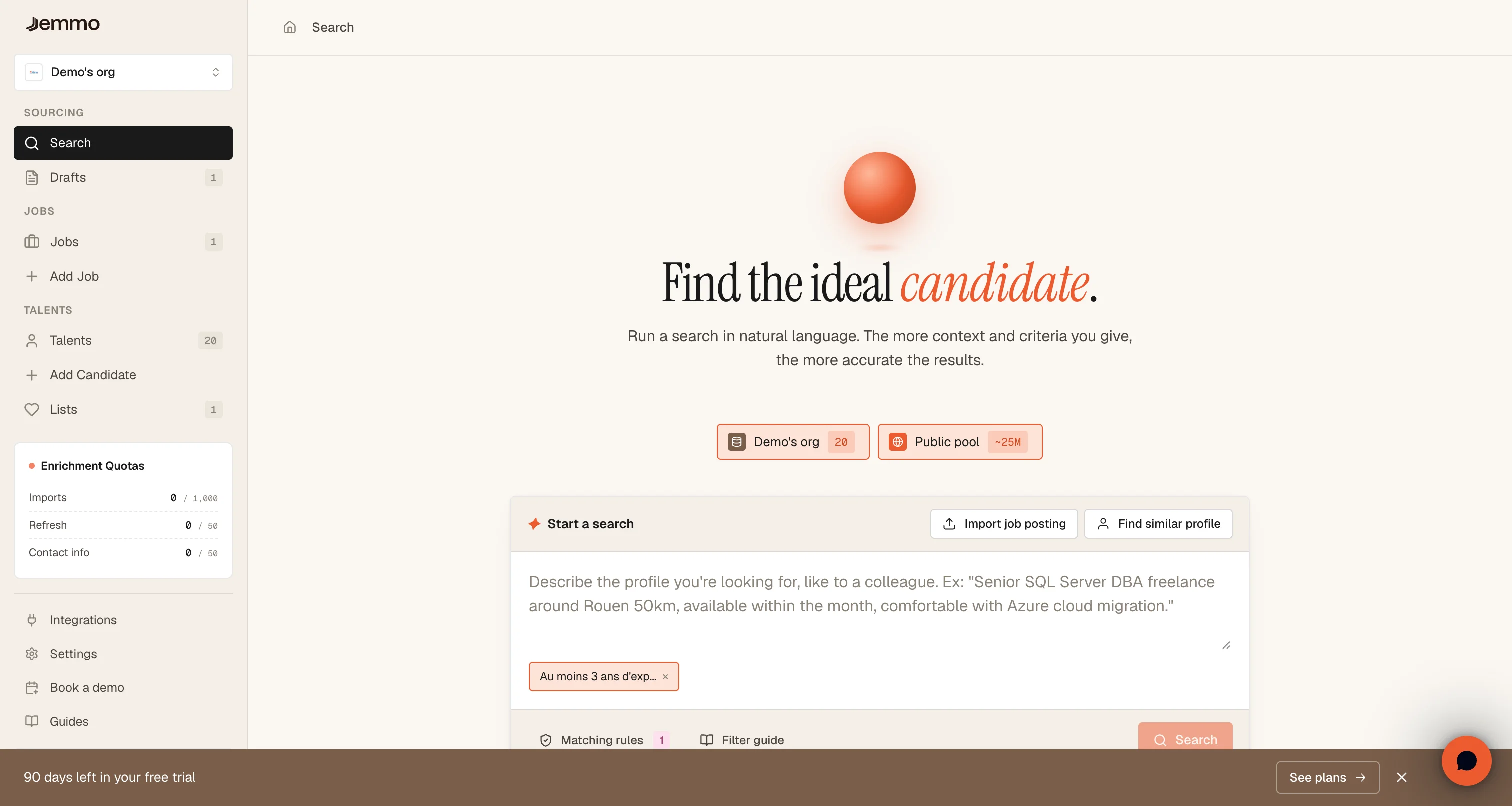
Available features:
- Text search: Enter a job description or criteria
- Job import: Retrieve a posting from an ATS or document
- Similar profile: Find candidates similar to a reference profile
- Matching rules: Configure selection criteria
2. Search for a Specific Job
From a job page, AI matching activates automatically.
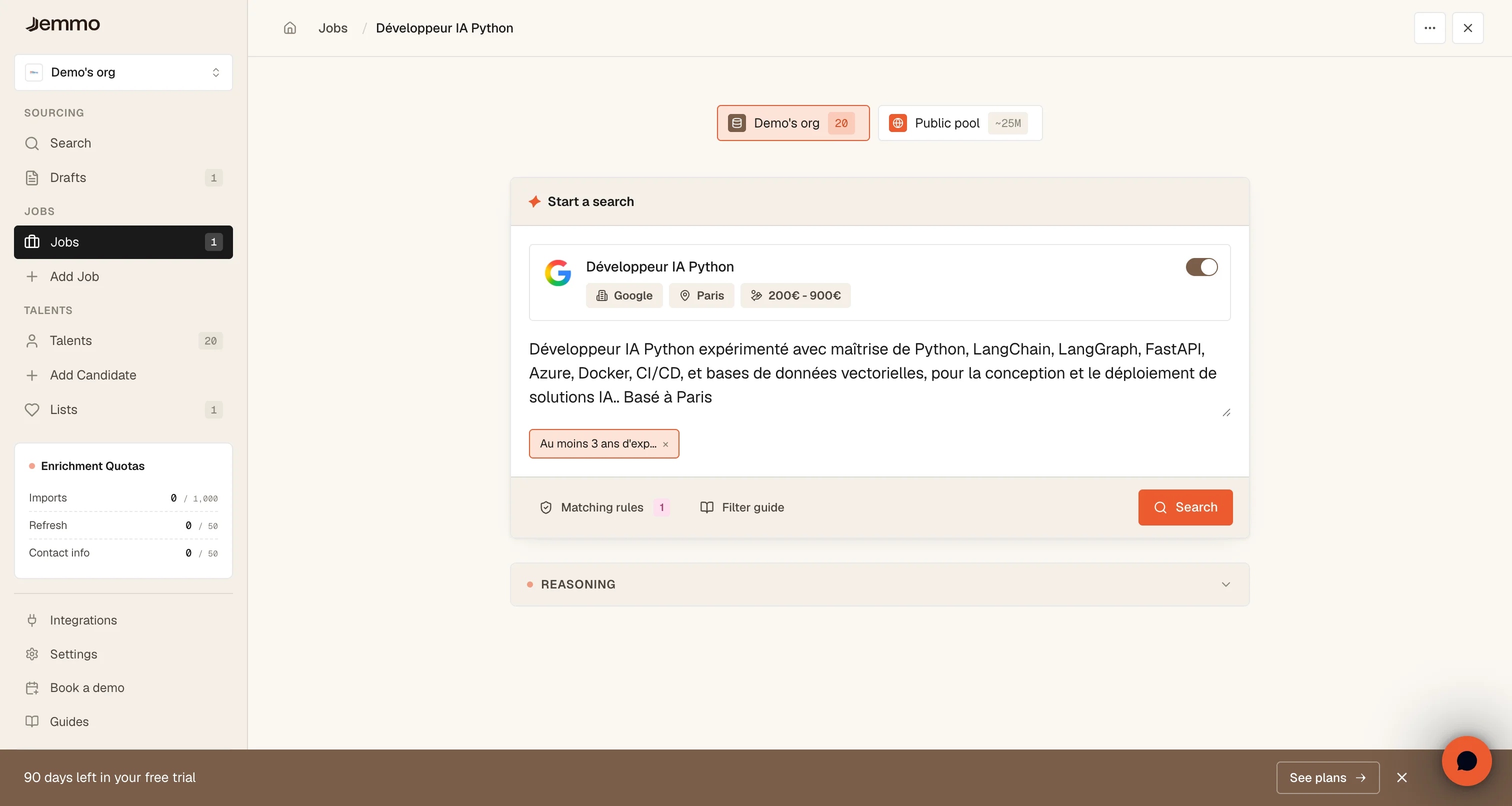
Steps:
- Navigate to the desired job
- The AI search panel automatically detects the job
- Refine criteria if needed
- Click Search to launch the AI analysis
3. Understanding Results
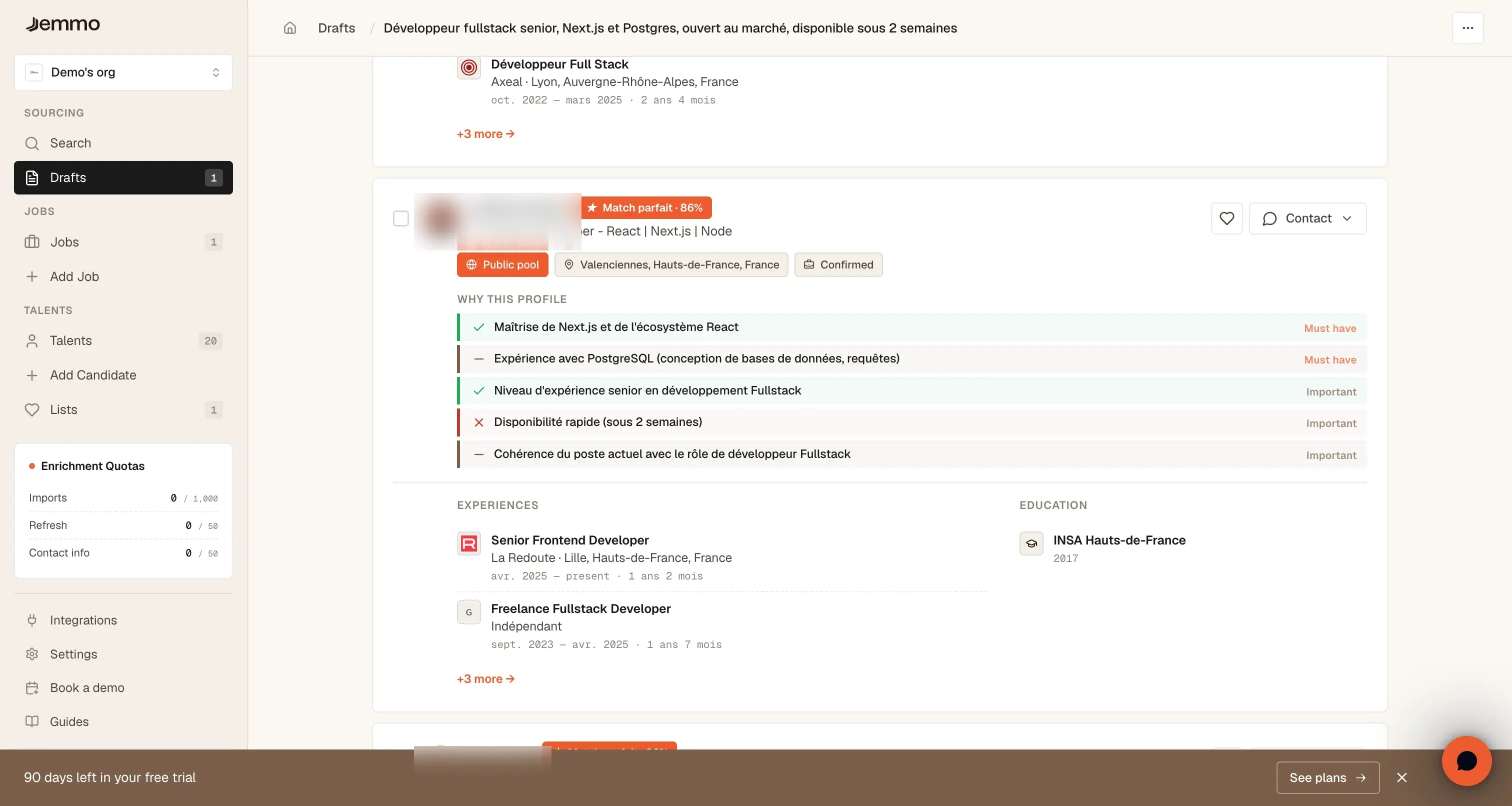
After the search, the AI displays:
- Ranked talent list: From highest to lowest score
- Analysis messages: Real-time explanations of the AI process
- Detailed scores: Breakdown by criterion for each talent
4. Refine Your Search
You can iterate on your search:
- Add criteria: Specify required skills
- Modify description: Adjust job context
- Similar search: Start from a profile to find others
- Matching rules: Adjust criterion weights
Best Practices
Writing Effective Job Descriptions
For optimal matching:
- Be specific: Detail technologies, frameworks, and tools
- Provide context: Explain missions and work environment
- Prioritize: Distinguish essential skills from nice-to-haves
- Include level: Specify required experience (Junior, Senior, Lead)
Avoid:
- Overly long lists: 5-8 key criteria maximum
- Excessive jargon: Prefer standard industry terms
- Generic terms: "Motivated developer" is not a criterion
Interpreting Scores
| Score | Meaning | Recommended Action |
|---|---|---|
| 90-100% | Excellent match | Profile to contact in priority |
| 75-89% | Very good match | Relevant profile to consider |
| 60-74% | Correct match | May fit depending on other factors |
| 40-59% | Partial match | Missing skills or limited experience |
| < 40% | Weak match | Probably not the right profile |
Using AI Justifications
Justifications help you:
- Save time: Quickly understand why a profile fits
- Discover atypical talents: Profiles with non-linear but relevant careers
- Avoid biases: AI objectively evaluates real skills
- Prioritize: Focus on the most promising candidates
Advanced Features
Similarity Search
Find profiles similar to an existing candidate:
- Click Find a similar profile
- Select a reference talent
- The AI identifies profiles with similar skills and career paths
Semantic Search
Semantic search understands the intent behind your query:
- Natural search: "Python developer with ML experience"
- Skills search: "React, TypeScript, Node.js 5+ years"
- Domain search: "Data engineer for fintech"
Real-Time Matching
The AI processes your search in streaming:
- Progressive messages: Follow the analysis step by step
- Incremental results: Talents appear as they're processed
- Transparency: Understand how the AI makes decisions
Available Filters
The AI automatically detects constraints in your search.
Strict filters (eliminate candidates who don't match):
| Filter | Description | Examples |
|---|---|---|
| Location | Filter by city or radius | "based in Paris", "within 50km" |
| Seniority | Experience level | "junior", "senior", "minimum 5 years experience" |
| Daily rate | Maximum daily rate | "max €600/day", "budget between €400-700/day" |
| Experience | Include or exclude companies | "worked at Google", "no consulting firms" |
| Education | Include or exclude schools | "graduated from Polytechnique", "no business schools" |
| Availability | Talents open to opportunities | "available now", "open to work" |
Soft preferences (influence ranking without eliminating):
Everything else — skills, technologies, methodologies, industry, soft skills — influences ranking without eliminating candidates.
Examples: "ideally startup experience" · "prefer management background" · "React Native a plus"
Faq
How to improve result relevance?
- Refine the job description with clear criteria
- Check the filter guide for available filters (location, seniority, daily rate, experience, education, availability)
- Adjust matching rules according to your priorities
- Iterate on multiple searches by refining criteria
Can the AI miss good candidates?
The AI is a copilot, not a decision-maker. It helps you save time by sorting profiles, but you make the final decisions. We recommend:
- Review talents with scores > 60%
- Examine justifications to understand gaps
- Consider atypical profiles with transferable skills
- Use AI as a first filter, then apply your human expertise
How does scoring work?
The scoring semantically analyzes your job description and compares it to talents' professional experiences. The AI identifies skills, technologies, and relevant contexts to rank profiles by order of relevance.
AI Act Compliance: Our system only uses professional experience data (skills, positions, companies, education). No personal data (name, age, gender, origin, photo) is processed by the AI. You maintain full control over recruitment decisions.
Can I export results?
Matching results can be added to lists for later follow-up. You can view profiles directly in the application and organize them according to your needs.